
















Customize Notification Categories on Samsung Devices
Notification categories allow you to specify which types of notifications you want to receive from our apps. While you can turn categories on or off in the app using the Notifications page in app settings, the Android system settings allow you to customize if a category should be visible on the lock screen, silent, and more.
Enable Category Customization
By default, Samsung OneUI 6.1 and later disables the customization of notification categories. To enable this:
- Open the Settings app, then tap “Notifications”, and then tap “Advanced settings”.
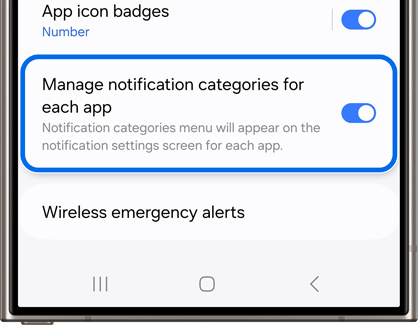
- Turn the switch next to “Manage notification categories for each app” to the on position.
- Tap the back button, then “App notifications”, and then select an app from the list.
Customizing Categories
- While viewing the notification settings for an app, scroll to the bottom and select “Notification categories”.
- Use the switches at the end of the rows to enable or disable a category, or tap the row to view more options.
For more information, please see Samsung Support.